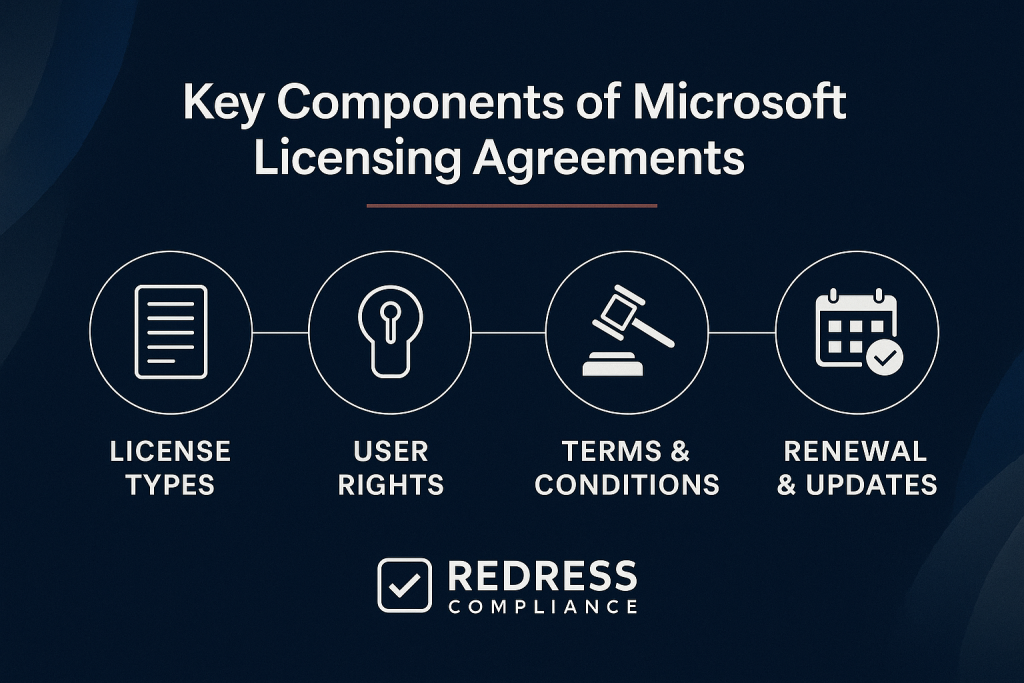
Key Components of Microsoft Licensing Agreements
Introduction – Why Agreement Components Matter
Microsoft licensing agreements are long, complex documents, and each clause can dramatically shape an enterprise’s costs, flexibility, and compliance obligations.
Many organizations sign these agreements without fully scrutinizing the fine print – leading to unexpected lock-in situations, budget overruns, or compliance exposure down the line.
As Microsoft negotiation experts, we know that every component in the contract has a purpose (often favoring Microsoft’s interests).
This guide breaks down the key components every enterprise buyer must understand before signing or renewing a Microsoft agreement.
Knowing what to look for empowers you to negotiate better terms, avoid common pitfalls, and ultimately save money and headaches.
1. Agreement Types and Structure
Not all Microsoft agreements are created equal. The type of licensing agreement you choose defines your obligations, available flexibility, and pricing model:
- Enterprise Agreement (EA): A classic 3-year contract for organizations (generally 500+ users) that covers the entire enterprise. An EA locks in pricing for three years and often requires organization-wide commitment to certain products. It offers built-in volume pricing tiers and the convenience of one consolidated agreement. However, it also imposes a fixed term and minimum purchase requirements, limiting flexibility if your needs change mid-term. For example, a company with 600 users might sign an EA for Microsoft 365 – enjoying initial discounts but committing to license all current and future users for the full term.
- Microsoft Customer Agreement – Enterprise (MCA-E): A newer, more flexible contract that is “evergreen” (no fixed end date) and does not necessarily require an enterprise-wide commitment. It’s Microsoft’s replacement for some legacy volume agreements, aiming to simplify purchasing, especially for cloud services. Microsoft sets pricing under MCA-E, but unlike EA, there are no published volume discount levels. In practice, discounts may be offered in exchange for promises of growth or larger purchases. The MCA-E can be appealing to mid-sized firms or those transitioning from EA, as it allows for the addition or removal of licenses with greater agility. Beware: because MCA-E lacks the formal renewal cycle of an EA, you need an ongoing strategy to keep costs in check (and Microsoft may not offer EA-level discounts unless you negotiate based on projected spend).
- Cloud Solution Provider (CSP) Program: Licensing via a Microsoft partner on a subscription basis (monthly or annual). CSP offers maximum flexibility – you can scale user counts up or down, and you aren’t locked into a multi-year contract. There are typically no minimum user requirements in CSP. This flexibility comes at a price: monthly subscriptions are usually about 20% more expensive than annual ones, and CSP pricing is set by the partner (often reflecting Microsoft’s MSRP with a small discount or added services). For instance, if you only need 50 extra licenses for a project for 3 months, CSP lets you pay just for those months. But if you need steady licenses for years, the costs can add up without the volume discounts an EA might provide. Structure-wise, CSP agreements are evergreen, but each service (e.g., an Office 365 plan) is a subscription that auto-renews unless you cancel it.
- Legacy Agreements (e.g., MPSA, Open Value): Microsoft Product and Services Agreement (MPSA) and other legacy volume licensing programs remain in place for specific scenarios. MPSA is a transactional agreement with no fixed term or organization-wide requirements – you buy licenses as needed. It’s often used for on-premises software purchases without a long-term subscription. However, Microsoft has been de-emphasizing these in favor of cloud-centric agreements (MPSA and Open programs are mostly suitable for certain cases and smaller organizations). If you’re an enterprise moving to cloud services, legacy agreements might limit your ability to leverage bundled cloud discounts.
How structure impacts you:
The agreement type dictates your balance of cost vs. flexibility. An EA offers predictability and potential discounts, but with rigid commitments. CSP or MCA-E provides agility (you pay for what you use, when you use it), but can lead to higher unit costs and require vigilant management to avoid overspend.
Choose the structure that aligns with your organization’s size and plans – for example, large enterprises (2,500+ users) often still find EAs cost-effective, while a company expecting rapid change might favor CSP’s month-to-month freedom.
Always evaluate exit options and growth limitations in each structure. Microsoft’s default pitch may push you toward longer terms, but you should decide based on your strategy.
Read about the differences in business and consumer Microsoft licensing.
2. Product & Service Coverage
Defining the scope of products and services covered in your agreement is a fundamental step.
Microsoft offers a vast catalog – Microsoft 365 (Office apps, Windows, EMS), Dynamics 365, Azure cloud services, on-premises server licenses, and a growing list of add-ons (Power Platform, security suites, and now AI services like Copilot).
How you scope your agreement can significantly shape your costs and risk of lock-in:
- Enterprise-Wide vs. Specific Products: Under an Enterprise Agreement, you designate certain “enterprise products” that must be licensed for all qualified users or devices enterprise-wide. Common enterprise products are Windows OS, Office (now part of Microsoft 365), and core CAL suites. If you enroll in these enterprise-wide programs, Microsoft rewards you with better pricing and sometimes added benefits. The trade-off is lock-in – every new employee or device must be added, increasing costs if you grow. On the other hand, you can also include additional products that aren’t enterprise-wide (like project management software or developer tools for specific teams). These can be purchased in any quantity as needed. Deciding which products to cover organization-wide versus on an as-needed basis will impact your spending and flexibility. For example, committing to Office 365 E5 for all users drives volume discounts; however, if 30% of your workforce only uses email and could live with a less expensive license, an enterprise-wide E5 subscription is overspending. A savvy approach might be to license a core suite enterprise-wide (for a bulk discount) and keep more specialized tools as optional add-ons for those who need them.
- Cloud Services and Consumption Products: If your agreement includes Azure or Dynamics 365, the scope pertains to the commitment versus pay-as-you-go model. An EA might include an annual Azure monetary commitment (e.g., you commit to spend $500K on Azure per year). In CSP, by contrast, you might simply pay for actual Azure usage monthly with no long-term commitment. Defining the cloud services in scope – and how they’re paid for – is crucial. A too broad scope (committing to many services or exceeding a high consumption level) can lead to underutilization and a wasted budget. A too-narrow scope might limit your discount opportunities. It’s often wise to start with the services you know you’ll use and have a contractual path to add others later at the negotiated rate.
- License Mobility and Hybrid Rights: The scope also determines if you can move licenses between on-premises and cloud. For instance, including Software Assurance on Windows or SQL Server grants you hybrid cloud rights (use licenses in Azure without double-paying). If your agreement scope doesn’t account for hybrid use, you might end up less flexible or paying extra for cloud transitions. Ensure the agreement covers all environments you operate in.
In summary, carefully choose what products and services are covered enterprise-wide and which are not.
The scope you define will shape your cost structure and potential lock-in. Always ask, “Do we need to license everyone for this product, or can we limit it?” and “What if our tech strategy changes next year – are we stuck paying for this?”
Microsoft’s default approach often prioritizes broader coverage (i.e., more products for more users), as this maximizes its revenue.
Push back by aligning coverage strictly with your business needs, and document any exceptions or flexible terms (for example, the ability to reduce certain licenses if a project ends, or carve-outs for subsidiaries that might use different software).
3. Pricing & Discounts
Pricing in Microsoft agreements can be complex, but it basically boils down to two layers: the baseline price (usually Microsoft’s volume price list) and your negotiated discount on top of that.
Understanding how pricing and discounts work will help you avoid overpaying.
- Baseline Pricing (List Price and Volume Levels): Microsoft has list prices for all licenses, which typically decrease per unit as volume increases. In an EA, these are organized into Level A, B, C, D pricing based on the quantity of users/devices – larger organizations automatically get a better price tier before any special discount. For example, a 5,000-user company might qualify for Level C prices, which are lower than what a 600-user company (Level A) gets by default. In CSP, there isn’t a formal tiered price list visible to customers; the partner’s price may be roughly equivalent to a certain volume level’s list price, but it’s less transparent. Tip: Always find out what baseline price is being used for your deal (it could be Microsoft’s Level B or C price, etc.) because any negotiation starts from that number.
- Negotiated Discounts: Beyond the baseline, enterprise customers can negotiate additional percentage discounts. These could be across the board or specific to certain products. For instance, you might negotiate a 15% discount on Microsoft 365 licenses due to your large commitment, and maybe a 5% discount on Azure services. Microsoft won’t volunteer these; you need to ask and make a case (e.g,. citing competitive offers or budget constraints). A common leverage point is enterprise-wide coverage – if you’re willing to cover all users with a product, Microsoft knows it’s getting maximum share of wallet and may grant a better discount. Additionally, timing and willingness to sign longer commitments can improve discounts. Keep in mind, however, that Microsoft might offer a flashy upfront discount but then include terms that let them raise prices later (nullifying that discount). Always read for any price escalation clauses (e.g., “prices may increase 3% annually”). A true discount locks in a lower price and ensures it remains stable.
- Price Protection Clauses: Ideally, your agreement should include clauses that fix your unit pricing for the entire term. If you add more licenses (true-up) or if Microsoft’s list prices change, price protection ensures you continue to pay your originally negotiated rate. Standard EA contracts generally have this – if you’ve negotiated pricing for Year 1, the same unit price applies in Years 2 and 3 for those products. In more flexible agreements like CSP or shorter-term deals, price protection might only last for the subscription period (after which prices could adjust to current rates). Negotiation priority: insist on provisions that any new licenses you add during the term come at the same discounted rate, not at whatever higher list price might prevail later. Also consider negotiating a cap on increases if you renew after the term – for example, language that renewal pricing won’t increase by more than, say, 5% from the current rates. Without this, you might get a nasty surprise at renewal with a big jump in cost.
- True-Up and Retroactive Charges: Part of pricing to watch is how true-ups are priced (this connects to the next section, but from a pricing perspective). Some agreements might state that if you increase usage, those licenses are charged at “then-current rates.” That means if Microsoft’s prices went up or if you moved to a different price level, you could pay more for the new licenses than for your original ones. A better approach is to negotiate that true-ups use the initial price or the same discount percentage off list. This keeps things consistent and avoids mid-term cost creep.
In negotiations, be a skeptic: Microsoft’s first quote often assumes their standard terms (minimal discounts and full exposure to future price hikes). Counter by using benchmarks from similar companies, and highlight your commitments (enterprise-wide adoption, multi-year spend, etc.) to push for deeper discounts.
Also, remember that sometimes soft benefits (like free training days or consulting hours) can be negotiated in if list price discounts hit a wall – those have value and offset costs elsewhere.
4. License Counts & True-Up Obligations
One of the most critical (and often misunderstood) components of an enterprise agreement is how you declare and adjust your license counts.
These terms determine what you pay if your usage grows, and how (or if) you can reduce licenses.
- Initial License Counts and Minimums: At the start of an agreement (EA or similar), you will make an initial order specifying how many licenses of each product you are covering. This initial count often becomes your minimum commitment. For example, if you start an EA with 1,000 Microsoft 365 E3 licenses, that’s the number you’ll pay for all year – even if your actual user count is 950 at some point. Microsoft typically doesn’t allow reductions below that initial count during the term (in a standard EA for perpetual licenses, you already own those licenses, so dropping them isn’t relevant; in a subscription EA, you might be allowed to reduce at the anniversary only if it’s explicitly a Subscription Enrollment, and often not below a certain baseline). The key point: Be as accurate as possible with your needs at signing. If you overshoot and buy too many, you’ll be stuck paying for shelfware until renewal.
- True-Up Mechanics (Annual Reconciliation): Under most volume agreements like EA, you are required to report any increases in usage each year (usually 60 days before the anniversary date). A “true-up” is essentially an invoice for any additional licenses you used above your initial count. For example, if you had 1,000 licenses initially and you grew to 1,100 users, you report those extra 100 and pay for them. In many cases, you pay a pro-rated amount for the time those extra licenses were used, or a full year’s cost at the anniversary (depending on the licensing program). Then those 1,100 become your new baseline going into the next year. True-ups give you flexibility to add users/services as needed without paperwork each time, but the catch is that it can lead to a big bill once a year if your organization grows significantly. Always track your license deployment so the true-up doesn’t catch you off guard financially.
- Reduction and Flexibility (or Lack Thereof): A common pain point is that while you can always true-up (add licenses and pay more), you often cannot “true-down” (remove licenses and pay less) during the term. For instance, if your employee count drops from 1,000 to 900, you generally cannot reduce your EA license count until the agreement’s end. There are exceptions: some subscription agreements or CSPs allow reducing at the next monthly or annual renewal of each subscription. Also, an Enterprise Subscription Agreement (EAS) – not to be confused with the standard EA – does allow for reductions at anniversary in certain conditions, since you’re essentially renting the licenses. But even then, Microsoft might enforce a cap on how much you can reduce (e.g., no more than a 10% reduction year-over-year) to prevent drastic cutbacks. If flexibility is a concern, negotiate that in – or consider structuring part of your licensing via CSP for areas you expect to scale down.
- Risks of Growth and Poor Monitoring: True-up obligations mean that if your usage grows, your costs will grow, too – and quickly. Without careful monitoring, a fast hiring spree or a surprise project deploying a lot of Microsoft software can result in a budget-busting true-up bill. There’s also compliance risk: if you fail to accurately report increases (whether intentionally or by mistake), Microsoft’s audit clause (discussed later) could result in penalties. We’ve seen companies underestimate usage and then scramble at year-end, which weakens their negotiation position (they need to buy licenses urgently to become compliant). The best practice is to implement internal license tracking processes or tools. Treat license count management as an ongoing task, not a once-a-year scramble.
Negotiation focus for license counts: If you anticipate growth, you might negotiate a volume discount upfront for those anticipated extra licenses (so the cost per license is fixed even as you add more).
Conversely, if you expect possible downsizing or shifts, try to negotiate some flexibility – for example, the right to reduce a certain percentage of licenses at the anniversary without penalty, or converting some licenses to a different product of equal value if needs change.
Microsoft may not easily agree to reductions (since it impacts their revenue predictability), but if it’s a make-or-break issue for you, raise it early.
At a minimum, ensure you have clarity on the true-up timeline and any grace period (some agreements might give a short window to true-up after discovery).
An informed buyer will also put processes in place to avoid any “true-up surprises”, keeping control over how license counts evolve.
5. Software Assurance & Benefit Clauses
Software Assurance (SA) is a major component of Microsoft licensing agreements that can significantly affect costs and value.
SA is essentially an add-on program that provides a bundle of benefits for an additional fee (often 25% of the license price annually for servers).
Software assurance includes:
- Upgrade Rights: Perhaps the most notable benefit – if a new version of a product is released, licenses covered by SA can upgrade to that version without buying a new license. In the old days of perpetual software (e.g., new Windows or Office versions every few years), this was a big deal. In the cloud subscription world, upgrades are continuous and included by default, so SA mainly matters for on-premises or perpetual licenses now.
- Training and Support: SA often comes with training vouchers, online e-learning, and several support incidents you can use with Microsoft Support. For example, an EA might grant you a certain number of free support tickets or planning days (Deployment Planning Services) if you have SA on your products. These can be valuable if you actually use them to get consulting help for deployments or to train your IT staff on new technologies.
- Additional Use Rights: Some technical perks like the right to use licenses on a backup server (cold disaster recovery rights) or the ability to spread payments via SA. For Windows desktop OS, SA (or a bundled subscription like Microsoft 365) grants usage rights, such as Virtual Desktop Access (for using Windows in virtual environments), and the flexibility to move licenses between devices.
- License Mobility: For server products, having SA allows you to move those licenses into cloud environments (e.g., to a third-party datacenter or to Azure) under License Mobility rights, which is key for hybrid cloud use without double licensing.
Given all these benefits, SA often comes at a hefty cost. It’s frequently a sticking point in negotiations because Microsoft sales teams strongly advocate for keeping SA on as many licenses as possible (it’s recurring revenue for them and ostensibly “locks in” the customer to Microsoft’s ecosystem through the benefits).
As a buyer, you must critically assess SA’s value vs. cost for your situation:
- Are you actually using the SA benefits you’re paying for? We’ve seen many enterprises pay for SA on, say, Windows Server or SQL Server, but never actually utilize the training days or the planning services, essentially leaving value on the table. If you don’t plan to upgrade the software during the term, or if the benefits don’t align with your needs, that SA spend might be unnecessary.
- Can you achieve the same outcomes without SA? For example, if you’re moving to cloud services quickly, paying SA on legacy licenses might not make sense beyond keeping upgrade rights during the transition. Or if you have a third-party support contract, the included Microsoft support calls via SA might be redundant.
Negotiation tips regarding SA:
If SA is not valuable to you, negotiate to remove it or reduce its scope. Microsoft might resist because it’s a core part of their agreement value prop. But you can often drop SA on products that you intend to sunset or that are static.
Another strategy is to use unused SA benefits as a bargaining chip: for instance, “We paid $200K for SA benefits last year that we didn’t use; we’d like a service credit or discount to account for that.”
Microsoft may then offer something like additional training or a slight discount to keep SA in place. On the other hand, if SA is important (e.g., you know you’ll upgrade to the next Windows Server in two years), emphasize that to justify getting it at a better price.
In summary, Software Assurance can be a double-edged sword. It provides valuable rights and services, but it’s often oversold. Don’t assume you need SA on everything – evaluate it line by line.
And if you do invest in SA, have a plan to take advantage of the benefits (schedule those training sessions, use the support calls, leverage planning services). Those extras can offset other costs if utilized fully.
6. Cloud Commitments & Consumption Clauses
As enterprises shift more toward cloud services, Microsoft’s agreements have introduced specific clauses around cloud consumption.
These dictate how much you’re committing to spend on Azure or other consumption-based products, and what happens if you don’t meet or exceed those numbers.
- Azure Monetary Commitments: In an EA, you might see an Azure commitment like “Customer agrees to a $1 million Azure prepayment over 3 years” or yearly commitment amounts. Essentially, you’re pledging to spend that budget on Azure services. The advantage is that it often comes with some discounted rates or funds that can be used flexibly across Azure services, and it signals a serious intent to Microsoft (which might earn you concessions elsewhere). The risk: if you overcommit—say you estimated $1M but only used $700K of Azure—the remaining $300K is money you paid and won’t get back. In many cases, unused Azure credits don’t roll over after a year or term (or have limited rollover), meaning “use it or lose it.” Always set commit levels based on realistic, conservative usage forecasts, not best-case scenarios. It’s better to exceed a modest commitment (you can always pay for overage at the same rates) than to fall short on an aggressive commitment and waste budget.
- Consumption vs. Fixed Subscription: Some newer Microsoft services (like certain Azure-related services or Power Platform capacity) may be offered on pure consumption models or as fixed allocations. Pay attention to contract language that might convert a consumption model into a committed model. For example, Microsoft might push a yearly consumption commitment for Power BI or Azure AI services in exchange for a discount. If your usage is unpredictable, you might negotiate to keep it purely pay-as-you-go, or at least include a right to adjust the commitment periodically (such as quarterly or annual true-down of the commitment if usage patterns change).
- Overage and Shortfall Clauses: Review how the agreement addresses exceeding or failing to meet cloud commitments. Usually, exceeding is fine – you just pay the extra, often at the same unit rates. But if you don’t meet the commitment, Microsoft keeps the money anyway. In some cases, large customers negotiate flexibility such as the ability to carry over unused Azure funds for a short period or swap them to other Microsoft services. These are not standard but can be asked for if, for example, you’re committing a huge sum and want some safety net.
- Risks of Overcommitting: We’ve seen scenarios where companies excitedly committed to big Azure spends (encouraged by Microsoft’s rosy projections or incentives) and then their cloud migration got delayed. They ended up scrambling to consume services they didn’t need, essentially burning Azure credits on low-priority workloads just to not leave money on the table. This is not ideal – it can lead to poor cloud deployment decisions. The better approach is to commit to a baseline you’re very confident in, and treat anything above that as pay-as-you-go. You can also look at Azure Savings Plans or Reserved Instances separately; those are more technical optimizations, but they don’t require contract-level commitments in the same way.
Negotiation focus for cloud: If you are entering a new agreement with Azure included, try to get flexible commitment structures. For example, instead of a hard annual dollar commitment, maybe commit to a range or to an amount that ramps up from year 1 to year 3 as you deploy more.
Ensure there’s price lock or discount protection on the Azure rates if possible (less common, as Azure pricing is usually just whatever is published, but large deals sometimes get special rates or credits).
Additionally, clarify the handling of new Azure services – if Microsoft launches a new AI service next year, can your commit cover that or is it separate? You want the commit to be as broadly applicable as possible.
And finally, ask about exit terms: if you don’t renew the EA or MCA, what happens to your Azure services? Usually, you’d revert to a pay-go plan, but it’s good to have that spelled out to avoid service disruption.
7. Term Length & Renewal Conditions
The length of your agreement and what happens at renewal time might sound like administrative details, but they have big cost implications.
Microsoft’s standard approach and any special clauses around renewal can significantly impact your negotiating leverage and risk of price increases.
- Standard Terms: An Enterprise Agreement is typically a 3-year term. Microsoft likes this because it locks in your business for a good period. Other programs like CSP or MCA-E are effectively one-year (or even month-to-month) for each subscription, but automatically renew indefinitely until you stop them. The difference is: with an EA, you have a defined end date (say, Dec 31, 2025), at which point you either renew into a new agreement or walk away (though walking away means losing rights to use subscription services, so it’s not simple). With CSP, there’s no big renewal event for an overall contract, but each service will renew, and prices can change over time.
- Renewal Price Risks: Microsoft’s default stance is to apply any new pricing or list price changes at renewal. If you locked prices for 3 years, once you hit renewal, all bets are off unless you negotiate a new cap. This means if Microsoft raises cloud prices by 10% generally (which they have done and will do), you could see that in your renewal quote. Or if you enjoyed a special discount, they might try to reset it. Enterprise customers sometimes are shocked at a renewal offer that is, say, 15% higher for the same licenses. This is why negotiating renewal protections up front is wise. For example, ask for a clause that guarantees an option to renew for one additional year (or another term) at no more than X% increase. Microsoft might not always agree, but even getting a cap like “no more than 5% increase at renewal if you maintain the same scope” can save you big.
- Auto-Renewal and Notice: While a traditional EA does not auto-renew (it expires), some newer agreements or cloud subscriptions do auto-renew by default. For instance, in CSP, the partner might auto-renew your yearly Microsoft 365 subscription unless instructed otherwise. Auto-renewal can be convenient, but it can also lull you into inaction, preventing you from renegotiating. If your contract auto-renews on Microsoft’s standard terms or updated pricing, you lose a chance to push back. As a best practice, calendar your renewal dates and treat each renewal as a chance to negotiate, even if it’s just a CSP annual subscription – you can often switch providers or plans for better rates. If possible, opt out of auto-renew or at least include a clause that any auto-renewal comes with prior notice and confirmation.
- Term Flexibility: Some organizations negotiate shorter EA terms (like a 1-year or 2-year) if they anticipate changes, but Microsoft usually expects a premium for that (less discount). On the other hand, Microsoft might offer a longer term (such as 5 years) for strategic deals. We generally advise caution on anything beyond 3 years, as tech and pricing change quickly. One exception might be if you can lock an exceptionally good price for 5 years and are confident it’s what you need – but that’s rare.
- Growth Obligations: Another subtle factor at renewal: if your company has grown, Microsoft will expect that you renew at the new, higher license count. In an EA, you true-up in the final year, and then that becomes the new starting point for the renewal. There might also be contractual language that you cannot reduce licenses at renewal below the highest count you had in the prior term, or at least not without penalty. Be aware of this – if you plan to offboard users or systems by the end of the term, time it before the true-up so you don’t lock in a larger number. Negotiating flexibility at renewal (like the freedom to reduce if business circumstances changed) is tough, but you can try to include it, especially if you foresee a divestiture or reorg.
Negotiation priorities for renewal terms: Insist on clarity around the renewal process.
For example, require that Microsoft (or your reseller) provide a renewal quote at least 90 days before term end, to give you time to evaluate alternatives – and consider writing that into the contract. If you’re big enough, negotiate a price cap on renewal. Also, avoid any sneaky clauses that extend your term automatically.
If you see an auto-renewal clause, weigh the pros and cons – it might be there to ensure continuous service, but you can usually request it be removed or modified. You want to be in control of the decision to renew, not automatically locked in.
Remember, the end of an EA term is your best chance to walk away or switch things up; Microsoft knows this and will fight to retain you, which is leverage to use.
By planning well ahead for renewals and having competitive options or internal data to justify changes, you can turn what is normally a price hike event into an opportunity for savings.
8. Compliance & Audit Clauses
Buried in every Microsoft agreement is the clause that gives Microsoft the right to audit your compliance with the license terms. For many enterprise customers, an audit is their worst nightmare – it can be disruptive and potentially expensive if findings show you’re under-licensed.
How the audit clause is written and managed is a key component that deserves attention:
- Microsoft’s Audit Rights: Typically, Microsoft reserves the right to verify your software usage against your licenses. They often require you to keep records and to cooperate with an audit, which might be conducted by Microsoft or an appointed third-party (often a software asset management firm). The standard clause might say you’ll be given a certain notice (sometimes as little as 30 days) and that audits won’t unreasonably interfere with business (which is subjective). If non-compliance is found, you usually have to promptly buy the necessary licenses at full price (and potentially back-pay support). In some cases of severe shortfall, contracts allow Microsoft to charge fees or legal penalties, although typically, Microsoft just wants you to purchase what you should have.
- Negotiating Audit Terms: While small and midsize customers usually can’t change the audit clause, large enterprises (with leverage) sometimes negotiate tweaks. Examples of negotiated protections include: requiring a longer notice period (e.g. 60 or 90 days) before an audit starts; limiting audits to no more than once per year (so Microsoft can’t continuously audit you); and stipulating that a mutually agreed independent auditor must conduct the audit, or even that if you have an active compliance program, Microsoft will take that into account or do a more informal review. You may also want to clarify how far back the audit can look (if not stated, assume it can review the entire term). Any narrowing of scope or increase in notice can help you prepare and reduce business disruption.
- Self-Audits and Compliance Reports: Some agreements might include requirements to self-report usage (like self-audit true-ups annually, which you have to do anyway for EA). In certain cases, Microsoft might accept regular internal compliance certifications instead of frequent audits – but always get that in writing. It’s wise to conduct your own internal audits periodically (quarterly or biannually) so that if an official audit comes, you already have a good picture of your license position. Proactively managing compliance not only avoids nasty surprises, but it also demonstrates good faith to Microsoft, which might make them less aggressive.
- Audit Outcomes and Dispute: Consider what the contract says about audit outcomes. You’ll want clarity on the timeline to resolve any findings. Sometimes negotiating a cure period is helpful – e.g., if an audit finds a shortfall, you have 30 days to purchase additional licenses to cure the breach before any other penalties kick in. Also, try to avoid any wording that makes you automatically liable for Microsoft’s audit costs – usually, if you’re significantly non-compliant (like 5% or more short), contracts let Microsoft charge you for the audit expense. You could negotiate to remove or raise that threshold (say, only if >10% short, etc.).
- Real-World Considerations: In practice, Microsoft audits can be triggered if they suspect misuse, or sometimes randomly as part of compliance programs. They often begin with a polite notice or a request for a Software Asset Management (SAM) review. Don’t be lulled – a SAM review is effectively an audit by another name. Always respond professionally and make sure you’re ready to provide data. If you’ve negotiated extra time in the clause, use it to your advantage by running a quick internal true-up and purchasing any missing licenses before the formal audit starts. That can potentially turn an audit into a non-event.
In negotiations, if you bring up audit clauses, you signal to Microsoft that you take compliance seriously (which is good).
You probably won’t get the clause removed entirely (Microsoft will not give up the right to audit), but even small adjustments can reduce risk.
The ultimate goal is to avoid an adversarial audit scenario – either by remaining compliant or by having contractual guardrails that make the process reasonable and non-punitive.
9. Emerging Add-Ons & AI Licensing Terms
The landscape of Microsoft licensing is constantly evolving, and recent hot topics include artificial intelligence (AI) add-ons and other emerging products.
New services like Microsoft 365 Copilot, AI-powered analytics, and cloud AI developer tools come with their own licensing terms that many customers are unfamiliar with.
It’s critical to scrutinize these new terms because they often introduce unique considerations around cost, data usage, and intellectual property.
- AI-Powered Add-Ons (e.g,. Copilot): Microsoft’s AI assistant “Copilot” for Microsoft 365 is a prime example. It’s offered as a paid add-on per user (at a significant price, e.g., $30/user/month at a minimum). Unlike traditional products, Microsoft has set one flat price for Copilot across all agreement types – meaning even the largest EA customers don’t automatically get a volume discount on it. This marks a departure from the norm and suggests that Microsoft may treat AI services differently. When negotiating for these, you might need to focus on overall deal value (like getting an extra discount on other products if the Copilot discount isn’t possible) or pilot programs to test value. Additionally, watch out for requirements: Copilot might require certain base licenses (it does – you can’t buy it unless you have specific Microsoft 365 plans). So, ensure any new AI tool licensing fits into your current license environment without forcing an upgrade of other components unexpectedly.
- Data Usage and Privacy Terms: With AI services that take your user data to generate results (documents, code, analyses), there are important clauses about how that data is used. Microsoft has updated its Product Terms to clarify that for enterprise customers, they will not use your data – inputs or outputs – to train their foundational AI models without your permission. This is a crucial protection. As a customer, verify that your agreement includes the latest language that safeguards your data. You don’t want a scenario where using an AI feature inadvertently gives Microsoft rights to your proprietary data for their AI training. Also, check if there are any telemetry or data collection clauses specific to these services; Microsoft may collect usage data to improve the service, but you’ll want to ensure nothing sensitive is compromised and that it aligns with your company’s privacy standards or regulatory obligations.
- Intellectual Property and Liability: Some AI terms might include clauses around who owns the output of the AI and who is responsible if that output infringes someone’s IP. For instance, if Copilot generates a piece of text or code for you that accidentally copies from copyrighted material, could the customer be on the hook for that? Microsoft has introduced a Copilot Copyright Commitment recently – basically saying Microsoft will defend customers against third-party IP claims on Copilot outputs, as long as the customer has used the product in accordance with the terms. It’s worth ensuring such protections are explicitly part of your agreement if you adopt AI features. Without it, there’s uncertainty about liability for AI-generated content.
- Rapidly Changing Terms: The world of AI is moving fast, and Microsoft’s licensing for these is likely to be updated frequently. What you agree to in 2025 might change by 2026 as Microsoft refines how it sells AI. Keep an eye on the Product Terms document updates and consider negotiating a review clause – perhaps something that, if AI terms materially change or if new significant AI products are released, you get an opportunity to revisit pricing or terms during your agreement. At the very least, do not treat these add-ons as trivial; they can carry large costs and untested terms. Ask questions like: Is there a separate commitment needed for AI services? Can you scale users up or down more frequently (maybe monthly), given the novelty? Is there a free trial or pilot provision you can include to test value before rolling out enterprise-wide?
In summary, emerging add-ons and AI bring great capabilities, but also uncertainty. Microsoft’s standard approach will likely favor themselves – e.g., high flat pricing, broad rights to change service features, and minimal liability on their side.
It’s up to you as the customer to inject caution: insist on clarity that your data remains your data, that you’re protected from unforeseen legal issues, and that you have flexibility if the AI tool doesn’t deliver expected ROI.
In negotiations, even asking these questions can pressure Microsoft to provide written assurances or maybe special discounts to alleviate your concerns, because they are keen on getting customers to adopt these high-profile products.
Table: Key Agreement Components vs. Impact vs. Negotiation Focus
| Component | Business Impact | Negotiation Priority |
|---|---|---|
| Agreement Type | Defines flexibility & spend model. EA vs. CSP vs. MCA-E determine how locked-in you are and how you pay. | Choose the model that fits your needs (EA for stability, CSP/MCA-E for agility). Leverage this choice to get best pricing. |
| License Counts & True-Up | Drives long-term cost. More users = more spend, but reductions usually locked. | Pre-negotiate how growth is handled – e.g. fixed true-up pricing, or allowances. Track usage to avoid surprise bills. |
| Software Assurance | Adds upgrade/support costs. Can significantly increase annual spend. | Demand clear value or reduce SA scope. If benefits aren’t used, push for credits or cut it to save cost. |
| Cloud Commitments | Locks cloud spend. Overcommitting wastes budget, undercommitting might limit discounts. | Commit conservatively. Negotiate flexibility to adjust commits and keep some pay-as-you-go capacity for safety. |
| Audit Clauses | Compliance and legal risk. An audit could mean unplanned fees. | Narrow the scope. Seek longer notice, one audit per year max, and a chance to remediate before penalties. |
| Renewal Terms | Risk of cost hikes at term end. Auto-renew or no price cap = potential bill shock. | Secure price protections into renewal. Avoid auto-renew traps; keep renewal as a negotiation event under your control. |
(This table summarizes how each key component of the agreement impacts your business and where to focus your negotiation energy. Prioritize items that could cost you the most or limit your flexibility.)
FAQs
Q: What are the key components of a Microsoft Enterprise Agreement (EA)?
A: The key components include the agreement’s scope (which products/services and whether you cover the whole enterprise), the pricing and discounts structure (baseline prices and any negotiated savings), your license counts and true-up obligations (how you handle adding users or products over time), Software Assurance terms (benefits and costs for upgrades/support), any cloud spending commitments (like Azure), the term length (usually 3 years) and renewal conditions, and compliance clauses (like Microsoft’s audit rights). Essentially, these translate to cost, flexibility, and risk areas you need to manage.
Q: Why are true-up clauses so important?
A: True-up clauses determine how changes in your usage affect your costs. If your company grows or deploys more software, the true-up process is how Microsoft charges you for that increase. A poorly understood true-up can lead to huge unplanned expenses – for example, hiring 100 people mid-year means you owe for 100 extra Office 365 licenses at year’s end. True-up terms also often lock you into paying for increases but not allowing decreases. They’re important because they can turn a seemingly affordable deal into an expensive one if you’re not careful. Negotiating caps or fixed pricing for true-ups can protect you from price spikes as you grow.
Q: Do I need Software Assurance in every agreement?
A: No – Software Assurance is optional and should be evaluated on a case-by-case basis. If you’re using subscriptions like Microsoft 365, SA is generally baked in (since you always get updates). SA matters more for perpetual licenses (such as Windows Server and SQL Server) and certain specific rights. Ask yourself: Will I upgrade this software to a new version in the next 3 years? Do I need the extra benefits (training vouchers, support incidents, etc.)? If the answer is “not really,” you might not need SA for that product. Many organizations find they don’t use a lot of the benefits that SA provides. In those cases, it’s often oversold. However, there are scenarios where SA is worth it – for example, if you rely on hybrid cloud rights or you anticipate a major version upgrade. The key is to assess the value vs. cost rather than blindly renewing SA.
Q: How can I avoid lock-in on Azure commitments?
A: To avoid lock-in or wasted spend, be conservative with any Azure monetary commitments. Don’t agree to spend more than you’re confident you can actually utilize. You can also negotiate for flexibility – for instance, the ability to adjust the commitment annually if your cloud adoption is slower than expected. Another tip is to keep a portion of your cloud usage on a pay-as-you-go basis. Maybe commit the baseline (the workloads you know will run 24/7) and keep project-based or uncertain workloads outside the commit. That way, if plans change, you’re not stuck overpaying for unused Azure credit. Additionally, ensure any commit doesn’t force you into outdated technology – you want the freedom to use new Azure services as they appear. If lock-in is a big concern, CSP might be an alternative for Azure since it’s inherently pay-go (though at possibly higher unit prices). It’s a trade-off between cost predictability and flexibility.
Q: What’s the biggest risk in Microsoft licensing agreements?
A: The biggest risk is signing an agreement without fully understanding the commitments you’re making. This can manifest in several ways: you might lock yourself into paying for more licenses than you need (overspend), you might commit to certain technologies and then find it hard to pivot (technology lock-in), or you might be exposed to compliance issues and audits because of unclear terms. From a financial perspective, many would say the hidden cost escalators – like an unexpected true-up, a price hike at renewal, or an unused cloud commit – are the nastiest surprises. From a flexibility perspective, an overly rigid agreement can hamper your ability to respond to business changes (like layoffs, mergers, or adopting a competitor’s solution). In summary, the risk is in the default terms, which often favor Microsoft. The remedy is to be proactive in negotiation: clarify everything, get rid of ambiguities, secure price protections, and insert flexibility where you can. If you do that, you transform the agreement from a potential minefield into a manageable partnership framework.


